
Conductor CEO Charlie Holtz Walks Us Through His AI Coding Setup
Y Combinator@ycombinatorConductor CEO Charlie Holtz Walks Us Through His AI Coding Setup
Charlie Holtz, CEO of Conductor, demonstrates his personalized setup for building software using AI agents and specialized hardware. He shares specific workflows for orchestrating code reviews, using voice commands for development, and how the role of a software engineer is shifting toward being an architect rather than just a coder.

- Views
- 197.4K
- Likes
- 4.5K
- Comments
- 233
- Topics
Analysis

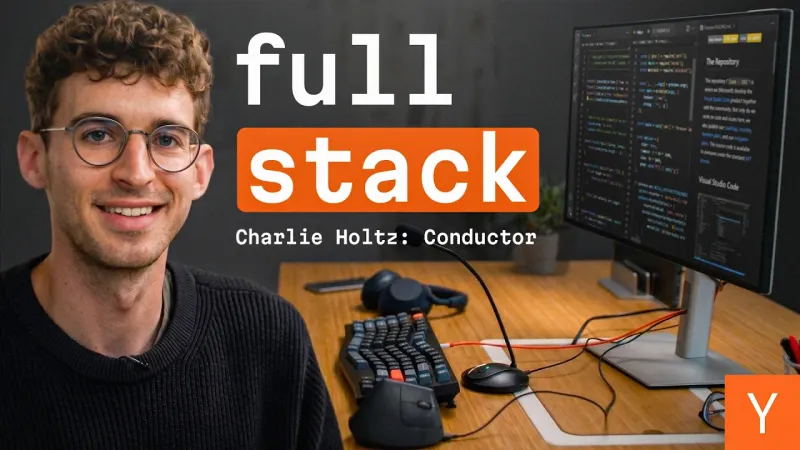
A man with glasses and a friendly smile sits in front of a modern workstation with a wooden desk. Large text in the center reads 'full stack' alongside his name and role. The background features a vertical monitor filled with code and a prominent orange Y Combinator logo.
Hello, I am Charlie, the co-founder of Conductor, which is an app that lets you Conductor, which is an app that lets you orchestrate a bunch of coding agents on orchestrate a bunch of coding agents on your Mac. So, a recent thing that I can't live without is this uh gooseneck microphone, without is this uh gooseneck microphone, $20 on Amazon. Um, one issue with having like an open floor one issue with having like an open floor plan office is that can be pretty plan office is that can be pretty distracting. So, one advantage of these is you can like lean over and whisper into Claude... and it's a a little bit less disruptive.
- 01The Authority Intro
Introduce yourself and your high-level project while briefly explaining what it does.
- 02The Accessible Hero
Pivot to a physical or low-cost tool that is vital to your daily success.
- 03The Shared Struggle
Highlight a common environmental or workflow problem that your audience likely shares.
- 04The Practical Fix
Show how your tool solves that friction point in a simple, direct way.