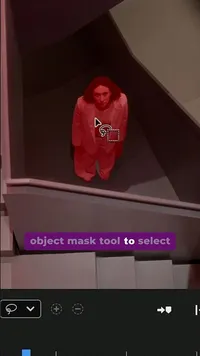
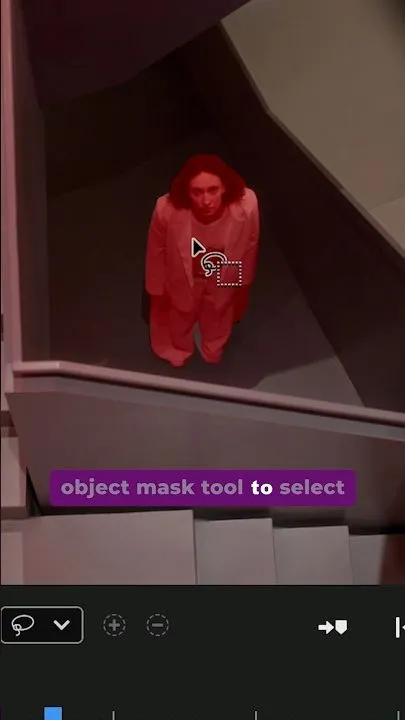
This is object masking inside Color Mode in Premiere (beta) 🎨
YouTubeshort
This is object masking inside Color Mode in Premiere (beta) 🎨
- Views
- 1.3M
- Likes
- 1.4K
- Comments
- 5
- Topics
Analysis
Categories
Arts
Verbal hook
As said out loud
Hey, come here. Let me show you this cool color correction trick.
Hey, come here. Let me show you this cool color correction trick. Here you can see that the woman in our shot is a bit too dark. And right now I'm inside of Adobe Premiere >> [music] >> Beta. And I've partnered with Adobe to show you this hack using their new color mode. I'm going to use the object mask tool [music] to select the subject and now track it forwards and backwards. Now I can select [music] the adjustment and increase the exposure. And now it's only increasing the exposure of the woman >> [music] >> and nothing else in the shot. And a quick tip, if you press the backslash key on [music] your keyboard, you can show the before and the after. And if we right click on the clip here, we can edit properties and [music] from effect controls we can add some feathering. Why is this useful? Well, it [music] helps us direct the viewer's attention to the subject in our shot. Go download the Premiere Beta to try color mode today. Happy grading.
- 01The Direct Hook
Invite the viewer in and promise a specific trick that will improve a visible result.
OriginalHey, come here. Let me show you this cool color correction trick.
- 02Show the Problem
Point out the specific subject or element that needs improvement before changing anything.
OriginalHere you can see that the woman in our shot is a bit too dark.
- 03Name the Tool and Method
Establish the tool or setup, then introduce the focused technique that will solve the problem. A partnership or authority cue can add trust when relevant.
OriginalAnd right now I'm inside of Adobe Premiere >> [music] >> Beta. And I've partnered with Adobe to show you this hack using their new color mode. I'm going to use the object mask tool [music] to select the subject and now track it forwards and backwards.
- 04Apply the Targeted Fix
Change one variable on the selected target, making clear that the rest of the scene stays unchanged.
OriginalNow I can select [music] the adjustment and increase the exposure. And now it's only increasing the exposure of the woman >> [music] >> and nothing else in the shot.
- 05Prove and Refine the Result
Give viewers a fast before-and-after check, then add one finishing refinement that improves the result.
OriginalAnd a quick tip, if you press the backslash key on [music] your keyboard, you can show the before and the after. And if we right click on the clip here, we can edit properties and [music] from effect controls we can add some feathering.
- 06Explain the Payoff and CTA
Explain why the fix is useful, then tell viewers where to try the method and close positively.
OriginalWhy is this useful? Well, it [music] helps us direct the viewer's attention to the subject in our shot. Go download the Premiere Beta to try color mode today. Happy grading.