STOP Color Drop leaks in Procreate! 🛑🎨
Art with Flo@ArtwithFloSTOP Color Drop leaks in Procreate! 🛑🎨
- Views
- 539.1K
- Likes
- 305
- Comments
- 13
- Topics
Analysis
Verbal hook
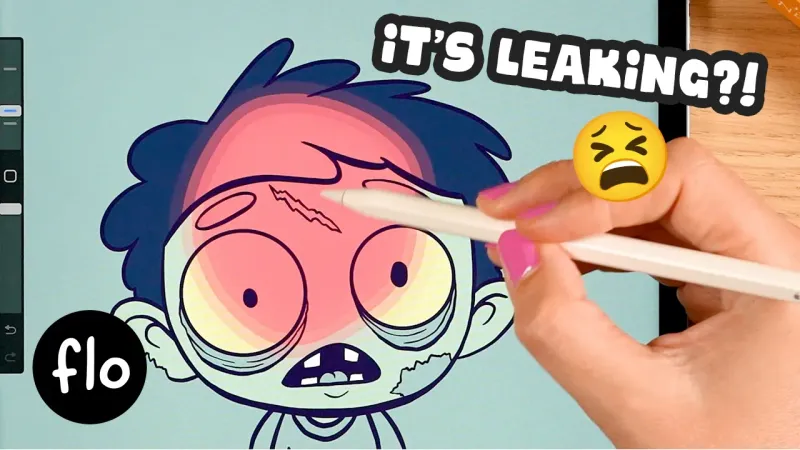
Is your color drop still leaking over your whole canvas like this?
Visual hook
Overhead demoIs your color drop still leaking over your whole canvas like this? [music] You drag the color into your shape and it just spills everywhere, ruining your background. [music] It's messy. It's frustrating and it's stopping you from easily adding color to your beautiful art. This [music] is the color drop threshold, and it's about to change your life. In this video, I'll show you how to master this little [music] slider and get perfect fills every single time. So, here's how it works. First, the golden rule. Your lines must form a closed shape. If there is even a tiny gap in your lines, color drop will always leak through. Make sure your lines connect perfectly, forming a secure boundary for the paint. Now, once your shape is closed, drag your color in, but don't lift your pen. Look at that blue bar at the top of your screen. This is your threshold. Slide your pen to the left to decrease the threshold or to the right to increase it. If the color leaks, slide to the left. If you see a tiny white gap near your lines, slide to the right until the color touches the edges perfectly. Only lift your pen when the fill is exactly how you want it. This trick ensures your art stays crisp and your colors are perfectly contained. No more messy leaks or annoying white outlines. Mastering color drop threshold is a total gamecher for your speed. It saves you time and let you color with total confidence. If you found this quick tip helpful, let me know in the comments or come and join me at Patreon for a lot more Procreate drawing and painting tutorials and get your skills to the next level.
- 01The Visible Problem
Open by showing a common failure and describe how it damages the viewer's result. Make the problem instantly recognizable.
OriginalIs your color drop still leaking over your whole canvas like this? [music] You drag the color into your shape and it just spills everywhere, ruining your background.
- 02The Frustration
Name the emotional cost of the problem so the viewer feels understood and wants a solution.
Original[music] It's messy. It's frustrating and it's stopping you from easily adding color to your beautiful art.
- 03The Promised Fix
Introduce one specific control or technique as the solution, then promise a clear result by the end.
OriginalThis [music] is the color drop threshold, and it's about to change your life. In this video, I'll show you how to master this little [music] slider and get perfect fills every single time.
- 04The Setup Rule
Give the foundational condition that must be correct before the main technique can work. State it as a memorable rule.
OriginalSo, here's how it works. First, the golden rule. Your lines must form a closed shape. If there is even a tiny gap in your lines, color drop will always leak through. Make sure your lines connect perfectly, forming a secure boundary for the paint.
- 05The Main Adjustment
Walk through the action while telling viewers not to finalize too early. Identify the control, explain its direction, and map each visible problem to a specific adjustment.
OriginalNow, once your shape is closed, drag your color in, but don't lift your pen. Look at that blue bar at the top of your screen. This is your threshold. Slide your pen to the left to decrease the threshold or to the right to increase it. If the color leaks, slide to the left. If you see a tiny white gap near your lines, slide to the right until the color touches the edges perfectly.
- 06The Clean Payoff
Tell viewers when to commit, then show the practical result and the larger benefit created by the technique.
OriginalOnly lift your pen when the fill is exactly how you want it. This trick ensures your art stays crisp and your colors are perfectly contained. No more messy leaks or annoying white outlines. Mastering color drop threshold is a total gamecher for your speed. It saves you time and let you color with total confidence.
- 07The Engagement CTA
Invite a low-effort response, then offer a related next step for viewers who want deeper instruction.
OriginalIf you found this quick tip helpful, let me know in the comments or come and join me at Patreon for a lot more Procreate drawing and painting tutorials and get your skills to the next level.