Turn Claude Into A Design GENIUS In 3 Simple Steps
Turn Claude Into A Design GENIUS In 3 Simple Steps
- Views
- 416.8K
- Likes
- 13.5K
- Comments
- 243
- Topics
Analysis
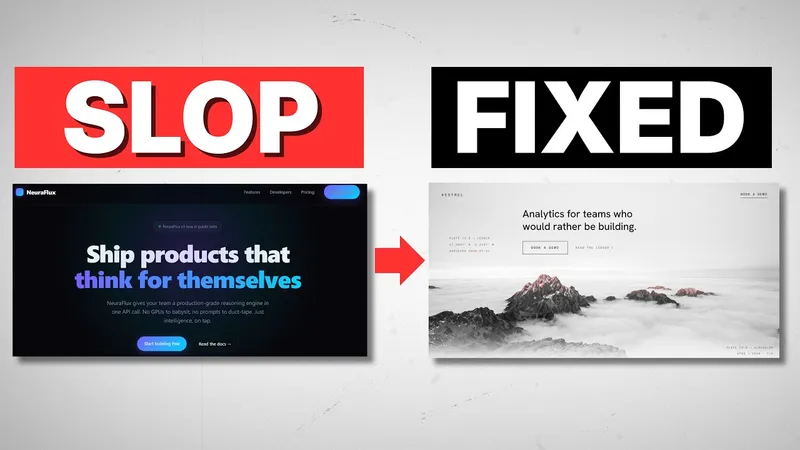
I'm going to teach you how to defeat the monster known as AI slop in three simple steps. Now, AI slop has taken a number of forms over the years, and it wasn't too long ago that it looked something like this. A generic SaaS template with Inter font everywhere and blue purple gradients. But now, AI slop looks something like this. This is definitely better, but it still screams AI. It has a specific color palette, a specific font, just a general style that right away you can tell this was generated in just a prompt or two. But today, I'm going to show you how to break out of this mold. I'm going to teach you how to cultivate and inject your own taste into the web design process. I'm going to show you what sort of skills and MCPs you need to begin using to help you in that endeavor. And lastly, I'm going to show you the exact sort of build sequence you need to begin applying to this. What are the prompts we should be using? How should we be prototyping? What does it mean to iterate and tweak our web design until we get something we actually like? And by the end, you're going to have a flexible roadmap that you can apply to all of your AI design work. So, let's get started.
- 01The Three-Step Enemy
Open by naming the central problem as a vivid enemy, then promise a simple, limited number of steps to defeat it.
OriginalI'm going to teach you how to defeat the monster known as AI slop in three simple steps.
- 02The Old Version
Show an earlier, familiar version of the problem so the audience can quickly recognize what is wrong.
OriginalNow, AI slop has taken a number of forms over the years, and it wasn't too long ago that it looked something like this. A generic SaaS template with Inter font everywhere and blue purple gradients.
- 03The New Version
Show that the problem has improved on the surface but still contains a telltale flaw, creating a sharper and more current contrast.
OriginalBut now, AI slop looks something like this. This is definitely better, but it still screams AI.
- 04The Diagnostic Proof
Point to specific details that reveal why the result still feels wrong, making the problem concrete rather than abstract.
OriginalIt has a specific color palette, a specific font, just a general style that right away you can tell this was generated in just a prompt or two.
- 05The Main Transformation
Pivot from diagnosing the problem to promising a way out of it.
OriginalBut today, I'm going to show you how to break out of this mold.
- 06The Core Skill
Name the deeper human skill or principle that will make the audience's work more distinctive.
OriginalI'm going to teach you how to cultivate and inject your own taste into the web design process.
- 07The Tools
Promise the supporting tools, skills, or resources needed to apply the core principle.
OriginalI'm going to show you what sort of skills and MCPs you need to begin using to help you in that endeavor.
- 08The Exact Workflow
Raise the practical value by promising a precise sequence the viewer can follow, not just general advice.
OriginalAnd lastly, I'm going to show you the exact sort of build sequence you need to begin applying to this.
- 09The Practical Questions
List the key implementation questions the video will answer, increasing relevance and creating multiple reasons to continue watching.
OriginalWhat are the prompts we should be using? How should we be prototyping? What does it mean to iterate and tweak our web design until we get something we actually like?
- 10The End Benefit
Close the intro with a transferable result that makes the video feel useful beyond the immediate example.
OriginalAnd by the end, you're going to have a flexible roadmap that you can apply to all of your AI design work. So, let's get started.