God’s Eye View Blew Up. Here's What You Can Do With It.
Bilawal Sidhu@bilawalsidhuGod’s Eye View Blew Up. Here's What You Can Do With It.
Bilawal Sidhu walks through installing God’s Eye View for non-coders or developers, then introduces its globe interface and features for exploring aircraft, ships, public cameras and other data layers. The description also promises coverage of data sources, live-data limits, recording camera tours and building tools on top of the project.
- Views
- 2.8M
- Likes
- 48.9K
- Comments
- 1.8K
- God’s Eye View SetupLive map featuresGeospatial data sourcesCustom mapping tools
Analysis
Bilawal Sidhu walks through installing God’s Eye View for non-coders or developers, then introduces its globe interface and features for exploring aircraft, ships, public cameras and other data layers. The description also promises coverage of data sources, live-data limits, recording camera tours and building tools on top of the project.
- TutorialWalkthrough
- Title
- God’s Eye View Blew Up. Here's What You Can Do With It.
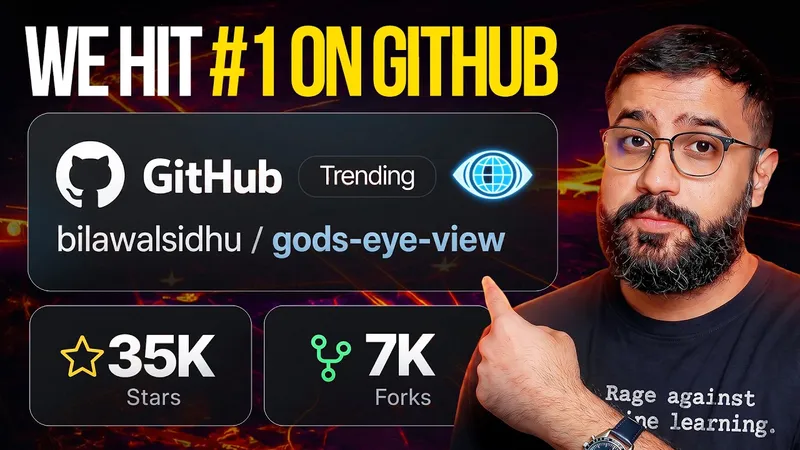
“God's Eye View is open sourced. And guys, I knew you wanted the code, but I didn't think this would happen. >> This is Palunteer before GTA 6. Open source. Google Maps. >> Fast and Furious God. Someone actually built it. >> This website that shows you the whole planet live right now. In the first few days, the launch video crossed a half a million views. The repo hit number one on GitHub trending, and a week later, it's still up there. the inventor of the Twitter hashtag, put it on Product Hunt. Then Brendan Ike, the creator of Brave, Firefox, and JavaScript. Yes, the language I literally used to code the damn thing, jumped into the conversation. And let's just say things are getting spicy. >> FBI, OPEN UP. >> GOD, I love that meme. So, all fun aside, the reaction has been incredible, but the same two questions keep coming up. How do I run the damn thing if I'm not a coder? And can you give me a proper walkthrough of all the things the tool can do? So, today, let's get into both. All right, so there are two quick ways to get this thing up and running. And if you've already got it set up, skip to the next chapter. That's where the walkthrough begins. Now, if you're on Windows, Mac, or Linux and you want the easy route, just install Pinocchio.”
- 01Project and unexpected attention
Establishes the subject and why it is attracting attention, while the scale and persistence of the reported response give viewers reason to wonder what the project is and why it spread.
Names the open-source project, expresses surprise at the audience’s interest, and gives claimed evidence of its early reach and notable engagement.
“God's Eye View is open sourced. And guys, I knew you wanted the code, but I didn't think this would happen. >> This is Palunteer before GTA 6. Open source. Google Maps. >> Fast and Furious God. Someone actually built it. >> This website that shows you the whole planet live right now. In the first few days, the launch video crossed a half a million views. The repo hit number one on GitHub trending, and a week later, it's still up there. the inventor of the Twitter hashtag, put it on Product Hunt. Then Brendan Ike, the creator of Brave, Firefox, and JavaScript. Yes, the language I literally used to code the damn thing, jumped into the conversation.”
- 02Comic beat and audience questions
The brief joke provides a tonal pause before the speaker turns the attention toward what viewers want to know: how to get started without the presumed expertise and what the tool can do.
Adds a playful exchange, then sets it aside to identify the reaction and the two questions that keep recurring.
“And let's just say things are getting spicy. >> FBI, OPEN UP. >> GOD, I love that meme. So, all fun aside, the reaction has been incredible, but the same two questions keep coming up. How do I run the damn thing if I'm not a coder? And can you give me a proper walkthrough of all the things the tool can do?”
- 03Promised agenda and transition
Makes the promised scope explicit and begins delivering on it. The introduction ends at the shift into concrete setup instructions.
Commits to answering both questions, then starts the first setup instruction.
“So, today, let's get into both. All right, so there are two quick ways to get this thing up and running. And if you've already got it set up, skip to the next chapter. That's where the walkthrough begins. Now, if you're on Windows, Mac, or Linux and you want the easy route, just install Pinocchio.”