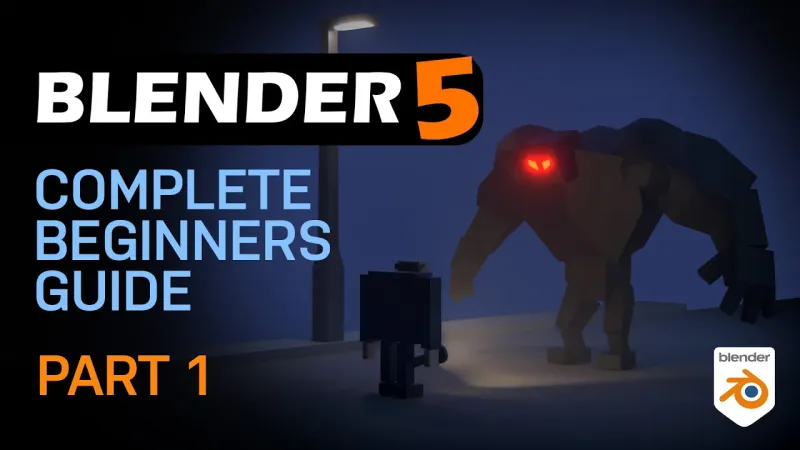
Blender 5 Complete Beginners Guide - FREE COURSE - Part 1 - The Interface
Grant Abbitt (Gabbitt)@grabbittBlender 5 Complete Beginners Guide - FREE COURSE - Part 1 - The Interface
Part one of a beginner Blender course introduces the interface, viewport navigation, camera and projection views, coordinates, and selecting or adding objects. It also covers moving, rotating, and scaling objects, then sets a challenge to add and position them. The series promises to build toward a complete 3D scene.
- Views
- 305.3K
- Likes
- 7.2K
- Comments
- 282
- Blender interface basics3D Navigation and ViewsObject transform toolsBeginner 3D Modeling
Analysis
Part one of a beginner Blender course introduces the interface, viewport navigation, camera and projection views, coordinates, and selecting or adding objects. It also covers moving, rotating, and scaling objects, then sets a challenge to add and position them. The series promises to build toward a complete 3D scene.
- TutorialCourse

- Title
- Blender 5 Complete Beginners Guide - FREE COURSE - Part 1 - The Interface
“Blender is an incredibly powerful tool. Blender is an incredibly powerful tool. Blender is an incredibly powerful tool. You can make entire films, build You can make entire films, build You can make entire films, build stunning 3D landscapes, model game stunning 3D landscapes, model game stunning 3D landscapes, model game assets, and the best part is it's 100% assets, and the best part is it's 100% assets, and the best part is it's 100% free to use. But because Blender can do free to use. But because Blender can do free to use. But because Blender can do so much, it looks incredibly confusing so much, it looks incredibly confusing so much, it looks incredibly confusing to a newcomer. The interface, the to a newcomer. The interface, the to a newcomer. The interface, the shortcuts, the 3D viewport, it can all shortcuts, the 3D viewport, it can all shortcuts, the 3D viewport, it can all feel very intimidating. So, this free feel very intimidating. So, this free feel very intimidating. So, this free and complete course is designed and complete course is designed and complete course is designed specifically for the absolute beginner. specifically for the absolute beginner. specifically for the absolute beginner. There's no prior experience needed at There's no prior experience needed at There's no prior experience needed at all. I'll break down the fundamentals all. I'll break down the fundamentals all. I'll break down the fundamentals into simple, easy, and methodical steps into simple, easy, and methodical steps into simple, easy, and methodical steps so you can quickly access this amazing so you can quickly access this amazing so you can quickly access this amazing tool. And by the end of this series of tool. And by the end of this series of tool. And by the end of this series of videos, you won't just learn the tools, videos, you won't just learn the tools, videos, you won't just learn the tools, you'll have created this entire fun you'll have created this entire fun you'll have created this entire fun scene right here. And we'll start with scene right here. And we'll start with scene right here. And we'll start with this video, learning the interface. this video, learning the interface. this video, learning the interface. Before we start, if you like what I do, Before we start, if you like what I do, Before we start, if you like what I do, then do check out the links in the then do check out the links in the then do check out the links in the description to lots of other YouTube description to lots of other YouTube description to lots of other YouTube playlists similar to this and my more playlists similar to this and my more playlists similar to this and my more in-depth courses. So, let's get started in-depth courses. So, let's get started in-depth courses. So, let's get started learning the Blender interface. So, learning the Blender interface. So, learning the Blender interface. So, before we start, you'll want to download before we start, you'll want to download before we start, you'll want to download Blender, of course. So, go to Blender, of course. So, go to Blender, of course. So, go to blender.org. You should see the latest blender.org. You should see the latest blender.org. You should see the latest version just in front of you here. I'm version just in front of you here. I'm version just in front of you here. I'm using Blender 5.”
- 01Capability and beginner obstacle
Establishes why the subject is appealing and why a beginner might need guidance. The contrast sets up the course as a response to an understandable barrier.
The opening names the tool, emphasizes its capabilities and free availability, then contrasts that range with how confusing it may appear to newcomers.
“Blender is an incredibly powerful tool. Blender is an incredibly powerful tool. Blender is an incredibly powerful tool. You can make entire films, build You can make entire films, build You can make entire films, build stunning 3D landscapes, model game stunning 3D landscapes, model game stunning 3D landscapes, model game assets, and the best part is it's 100% assets, and the best part is it's 100% assets, and the best part is it's 100% free to use. But because Blender can do free to use. But because Blender can do free to use. But because Blender can do so much, it looks incredibly confusing so much, it looks incredibly confusing so much, it looks incredibly confusing to a newcomer. The interface, the to a newcomer. The interface, the to a newcomer. The interface, the shortcuts, the 3D viewport, it can all shortcuts, the 3D viewport, it can all shortcuts, the 3D viewport, it can all feel very intimidating.”
- 02Course promise and learning path
Answers the obstacle raised in the opening by defining who the course serves and how it will teach. The complete-scene outcome gives viewers a concrete longer-term reason to follow the series.
The speaker specifies that the free, complete course is for absolute beginners, promises methodical fundamentals, and previews the series outcome of creating a complete scene.
“So, this free feel very intimidating. So, this free feel very intimidating. So, this free and complete course is designed and complete course is designed and complete course is designed specifically for the absolute beginner. specifically for the absolute beginner. specifically for the absolute beginner. There's no prior experience needed at There's no prior experience needed at There's no prior experience needed at all. I'll break down the fundamentals all. I'll break down the fundamentals all. I'll break down the fundamentals into simple, easy, and methodical steps into simple, easy, and methodical steps into simple, easy, and methodical steps so you can quickly access this amazing so you can quickly access this amazing so you can quickly access this amazing tool. And by the end of this series of tool. And by the end of this series of tool. And by the end of this series of videos, you won't just learn the tools, videos, you won't just learn the tools, videos, you won't just learn the tools, you'll have created this entire fun you'll have created this entire fun you'll have created this entire fun scene right here.”
- 03This installment and course logistics
Connects the broad course promise to this installment’s specific subject and gives a practical prerequisite. The introduction ends as the speaker moves from framing into the concrete instruction to visit the download site.
The speaker identifies the interface as the first lesson, briefly promotes related links and playlists, then states that viewers will need to download the software and identifies the version in use.
“And we'll start with scene right here. And we'll start with scene right here. And we'll start with this video, learning the interface. this video, learning the interface. this video, learning the interface. Before we start, if you like what I do, Before we start, if you like what I do, Before we start, if you like what I do, then do check out the links in the then do check out the links in the then do check out the links in the description to lots of other YouTube description to lots of other YouTube description to lots of other YouTube playlists similar to this and my more playlists similar to this and my more playlists similar to this and my more in-depth courses. So, let's get started in-depth courses. So, let's get started in-depth courses. So, let's get started learning the Blender interface. So, learning the Blender interface. So, learning the Blender interface. So, before we start, you'll want to download before we start, you'll want to download before we start, you'll want to download Blender, of course. So, go to Blender, of course. So, go to Blender, of course. So, go to blender.org. You should see the latest blender.org. You should see the latest blender.org. You should see the latest version just in front of you here. I'm version just in front of you here. I'm version just in front of you here. I'm using Blender 5.”