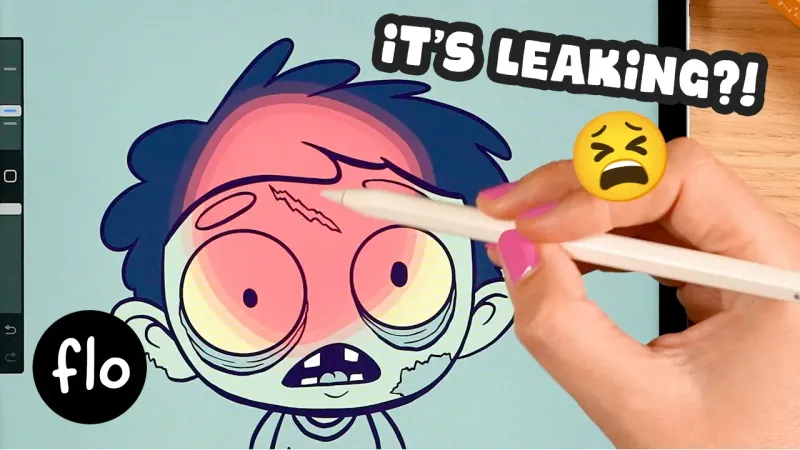
STOP Color Drop leaks in Procreate! 🛑🎨
Art with Flo@ArtwithFloSTOP Color Drop leaks in Procreate! 🛑🎨
The video demonstrates how to prevent Procreate’s Color Drop from spilling outside a shape. It explains that lines must be closed, then shows how to adjust the threshold slider to fix leaks or white gaps.
- Views
- 539.1K
- Likes
- 305
- Comments
- 13
- Procreate color fillingColor Drop thresholdDigital drawing tutorial
Analysis
The video demonstrates how to prevent Procreate’s Color Drop from spilling outside a shape. It explains that lines must be closed, then shows how to adjust the threshold slider to fix leaks or white gaps.
- DemoTutorialVoiceoverProblem–Solution
- Spoken
- Original
“Is your color drop still leaking over your whole canvas like this?”
- Visual
- DemonstrationAn overhead view centers a tablet with a line drawing on a wooden desk. Hands and a stylus frame the device; letter tiles at the left spell “COLOR DROP.” The later supplied opening frame shows the canvas area filled with color.
- The tablet footage shows color spilling across a drawing, then demonstrates filling shapes while the narration explains closed boundaries and threshold adjustment.

- Title
- STOP Color Drop leaks in Procreate! 🛑🎨
“Is your color drop still leaking over your whole canvas like this? [music] You drag the color into your shape and it just spills everywhere, ruining your background. It's messy. It's frustrating and it's stopping you from easily adding color to your beautiful art. This is the color drop threshold, and it's about to change your life. In this video, I'll show you how to master this little [music] slider and get perfect fills every single time. So, here's how it works. First, the golden rule. Your lines must form a closed shape. If there is even a tiny gap in your lines, color drop will always leak through. Make sure your lines connect perfectly, forming a secure boundary for the paint. Now, once your shape is closed, drag your color in, but don't lift your pen. Look at that blue bar at the top of your screen. This is your threshold. Slide your pen to the left to decrease the threshold or to the right to increase it. If the color leaks, slide to the left. If you see a tiny white gap near your lines, slide to the right until the color touches the edges perfectly. Only lift your pen when the fill is exactly how you want it. This trick ensures your art stays crisp and your colors are perfectly contained. No more messy leaks or annoying white outlines. Mastering color drop threshold is a total gamecher for your speed. It saves you time and let you color with total confidence. If you found this quick tip helpful, let me know in the comments or come and join me at Patreon for a lot more Procreate drawing and painting tutorials and get your skills to the next level.”
- 01Name the failure and promise a fix
Makes the problem recognizable, then establishes the tutorial's promised payoff.
Ask whether a common task is still going wrong, describe the frustrating consequence, name the relevant control or technique, and promise a reliable improvement.
“Is your color drop still leaking over your whole canvas like this? [music] You drag the color into your shape and it just spills everywhere, ruining your background. It's messy. It's frustrating and it's stopping you from easily adding color to your beautiful art. This is the color drop threshold, and it's about to change your life. In this video, I'll show you how to master this little [music] slider and get perfect fills every single time. ”
- 02Explain the prerequisite
Provides the prerequisite needed before the promised adjustment can work.
Introduce the first rule: the relevant boundaries must be complete. Explain the failure caused by a gap and restate the required condition.
“So, here's how it works. First, the golden rule. Your lines must form a closed shape. If there is even a tiny gap in your lines, color drop will always leak through. Make sure your lines connect perfectly, forming a secure boundary for the paint. Now, once your shape is closed, ”
- 03Adjust the control and verify the result
Delivers the core practical instructions and shows how to choose an adjustment based on the observed result.
With the prerequisite met, begin the task without releasing the input, identify the control, explain its opposing adjustments, match each visible problem to a direction, and release only when satisfied.
“drag your color in, but don't lift your pen. Look at that blue bar at the top of your screen. This is your threshold. Slide your pen to the left to decrease the threshold or to the right to increase it. If the color leaks, slide to the left. If you see a tiny white gap near your lines, slide to the right until the color touches the edges perfectly. Only lift your pen when the fill is exactly how you want it.”
- 04Confirm benefits and invite follow-up
Closes the tutorial's promise by stating its outcome, then gives viewers a clear way to respond or continue learning.
Summarize the improved result and practical benefit, then ask for comments and invite the viewer to access more related instruction.
“This trick ensures your art stays crisp and your colors are perfectly contained. No more messy leaks or annoying white outlines. Mastering color drop threshold is a total gamecher for your speed. It saves you time and let you color with total confidence. If you found this quick tip helpful, let me know in the comments or come and join me at Patreon for a lot more Procreate drawing and painting tutorials and get your skills to the next level.”