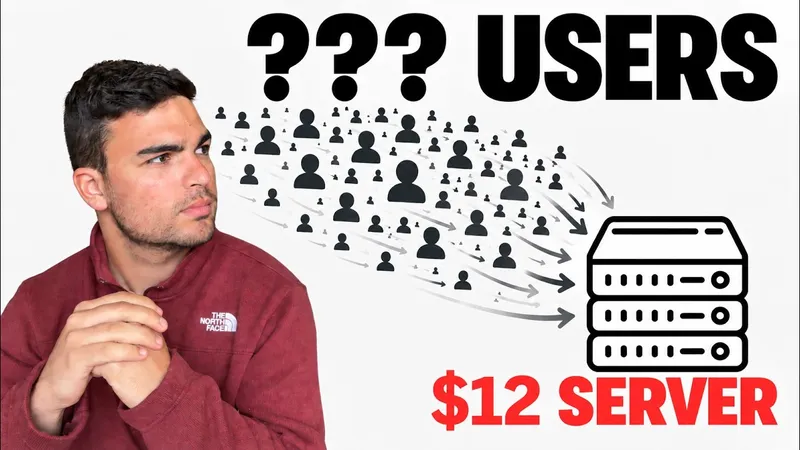
How Many Users Can a $12 Server Handle?
Arjay McCandless@arjay_the_devHow Many Users Can a $12 Server Handle?
The video tests how many realistic virtual users a $12/month, single-VM setup can support, with Nginx, Node.js and Postgres sharing one server. The creator describes a small social app, load testing with k6, and plans to find the system’s limits and see how two caching changes affect capacity.
- Views
- 474.6K
- Likes
- 11.1K
- Comments
- 689
- Low-Cost Server CapacityLoad testingCaching optimizations
Analysis
The video tests how many realistic virtual users a $12/month, single-VM setup can support, with Nginx, Node.js and Postgres sharing one server. The creator describes a small social app, load testing with k6, and plans to find the system’s limits and see how two caching changes affect capacity.
- ExperimentExplainer

- Title
- How Many Users Can a $12 Server Handle?
“This is a $12 a month server. It has one CPU, two gigabytes RAM, and we're going to be running our entire application on this one machine. The web server, the back end, and the database. And the goal is to answer a pretty simple question. How many people can this server support before everything breaks? So, we're not just going to calculate this out in theory or do some back of the envelope math to figure out how much a server like this should be able to support. We're going to spin up a small application and then hit it with thousands of virtual users until it breaks. Then, we'll make some small optimizations and see how much farther that gets us. But, before we start ramping up on users, I want to explain a little bit of the methodology and exactly what we're testing. Originally, I wanted to run this entire experiment on AWS and I went over to AWS to create an account, realized that my old account had been deactivated, tried making another account, and then remembered how annoying it was to actually use AWS. So, for the purposes of this experiment, I'm using DigitalOcean. I've never used it before. This isn't sponsored, but it did seem like a pretty easy way to get a $12 VPS. So, I rented a $12 a month basic droplet. This gives us one vCPU, two gigabytes of RAM, and 50 gigabytes of SSD storage, and it's running Ubuntu. And initially, we're going to be keeping the architecture as simple as possible. Traffic will come in through Nginx. Nginx will pass the request off to a Node.js process. Node.js uses Postgres as the database. And Nginx, Node, and Postgres are all running on this same $12 a month server. So, no Redis, no CDN, no externally managed database sitting somewhere, no auto scaling, no second application server, no Docker, no Kubernetes, nothing like that. That said, I didn't intentionally sabotage the application to make benchmarks look more dramatic. The database had obvious indexes you'd expect a competent engineer to add, and Postgres was configured reasonably for the amount of memory available. The point of this is to be a pretty normal small application that somebody might actually deploy.”
- 01The constrained setup
Establishes the specific low-cost, single-machine setup that makes the capacity question meaningful.
Introduces the $12-a-month server, its resources, and the decision to run the whole application on one machine.
“This is a $12 a month server. It has one CPU, two gigabytes RAM, and we're going to be running our entire application on this one machine. The web server, the back end, and the database. And the goal is to answer a pretty simple question.”
- 02The test and its promised progression
States the central question and gives viewers a concrete test sequence whose capacity result remains unresolved.
Asks how many people the server can support before breaking, then previews driving a small application to failure and testing the effect of optimizations.
“How many people can this server support before everything breaks? So, we're not just going to calculate this out in theory or do some back of the envelope math to figure out how much a server like this should be able to support. We're going to spin up a small application and then hit it with thousands of virtual users until it breaks. Then, we'll make some small optimizations and see how much farther that gets us. But, before we start ramping up on users, I want to explain a little bit of the methodology and exactly what we're testing.”
- 03The experiment’s origin and chosen service
Supplies the reason for the service choice and an unsponsored disclosure before detailing the experimental setup.
Explains the abandoned plan to use AWS, the creator’s difficulty with it, and the choice of DigitalOcean, with a disclosure that the video is unsponsored and a $12 VPS was easy to obtain there.
“Originally, I wanted to run this entire experiment on AWS and I went over to AWS to create an account, realized that my old account had been deactivated, tried making another account, and then remembered how annoying it was to actually use AWS. So, for the purposes of this experiment, I'm using DigitalOcean. I've never used it before. This isn't sponsored, but it did seem like a pretty easy way to get a $12 VPS. So, I rented a $12 a month basic droplet.”
- 04Scope and boundary of the setup
Defines what is included and excluded from the test and qualifies the setup before the main explanation begins. This is still introductory methodology framing; the later sustained application description starts the main content.
Gives the server’s listed resources and operating system, then outlines a simple architecture with the web server, application process, and database all on that machine. It rules out several added services and clarifies that the application was not intentionally sabotaged, while qualifying the setup as a normal small application.
“This gives us one vCPU, two gigabytes of RAM, and 50 gigabytes of SSD storage, and it's running Ubuntu. And initially, we're going to be keeping the architecture as simple as possible. Traffic will come in through Nginx. Nginx will pass the request off to a Node.js process. Node.js uses Postgres as the database. And Nginx, Node, and Postgres are all running on this same $12 a month server. So, no Redis, no CDN, no externally managed database sitting somewhere, no auto scaling, no second application server, no Docker, no Kubernetes, nothing like that. That said, I didn't intentionally sabotage the application to make benchmarks look more dramatic. The database had obvious indexes you'd expect a competent engineer to add, and Postgres was configured reasonably for the amount of memory available. The point of this is to be a pretty normal small application that somebody might actually deploy.”