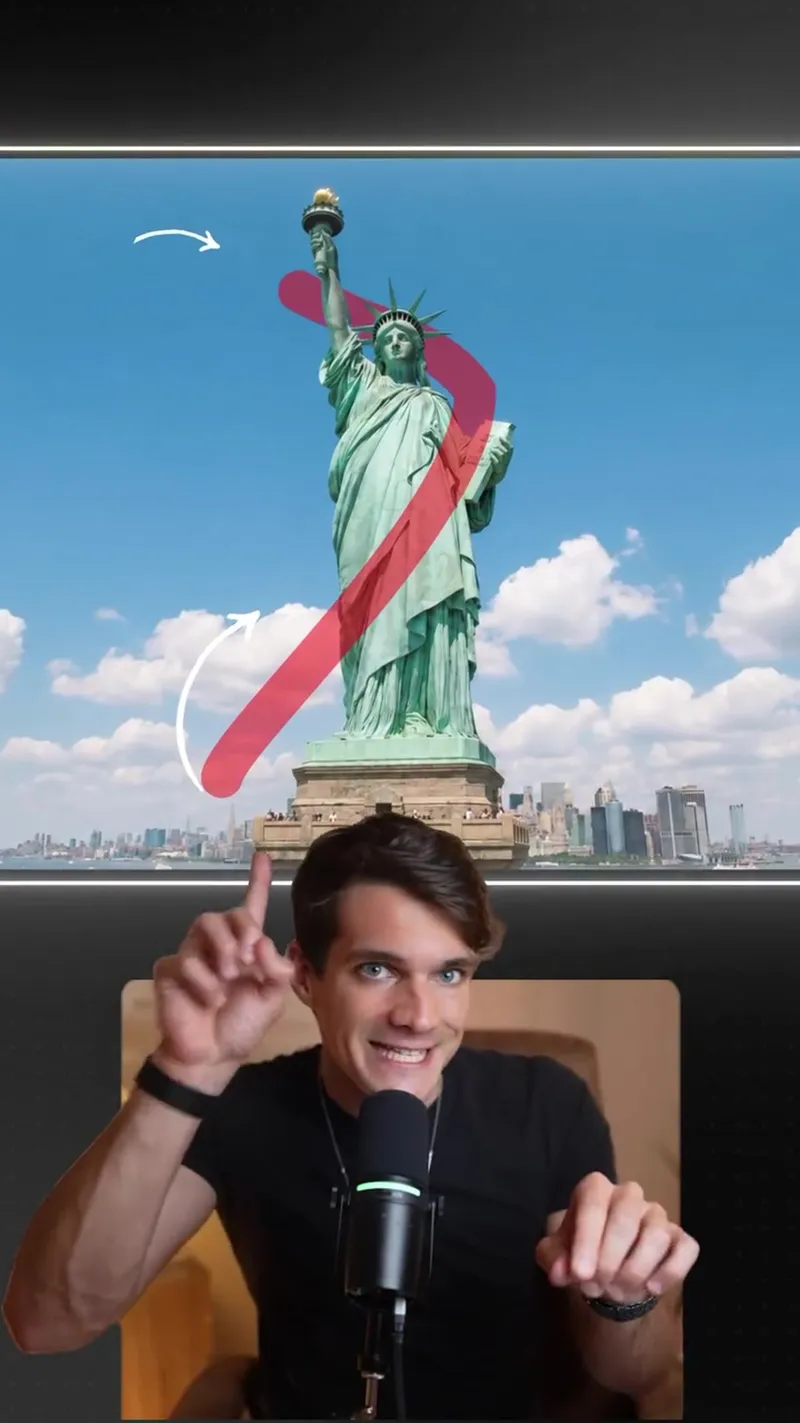
This video demonstrates how to turn a static photo into realistic drone footage using AI. The creator explains how to draw movement paths on an image and process it through specific software to animate the scene.
How to Create Realistic Drone Shots with AI
This video demonstrates how to turn a static photo into realistic drone footage using AI. The creator explains how to draw movement paths on an image and process it through specific software to animate the scene.
- Views
- 2.6M
- Likes
- 95.4K
- Comments
- 96.1K
- Topics
Analysis
Okay, check this out. I just drew this line around this image and. Oh, my God.
Okay, check this out. I just drew this line around this image and. Oh, my God. This AI tool created an actual drone shot following the path I drew. And you can do this from any location to try it out for free, Take any image and draw the drone path on it, using red for the drone's body movement and white for the camera direction. Now head over to Google Flow. Select Data, the Omni Flesh model. Upload that image with this prompt and hit run. And voila. Your shot is ready. Come in, drone, and I'll send you the prompt.
- 01The Immediate Hook
A quick call to attention followed by a live demonstration signal.
- 02The Action & Reaction
Perform a simple input and react with high energy to the transformation.
- 03The Value Proposition
Explain what the tool did and emphasize that it is accessible for free.
- 04The Specific Setup
Provide the rules or parameters for the input to work correctly.
- 05The Technical Walkthrough
A rapid-fire list of where to go and what buttons to click.
- 06The Payoff Reveal
Confirm the process is finished and present the final result.
- 07The Engagement Loop
Direct the audience to engage in the comments to receive the specific technical code or resources.