10 iOS 27 Features You'll Actually Use...
Proper Honest Tech@ProperHonestTech10 iOS 27 Features You'll Actually Use...
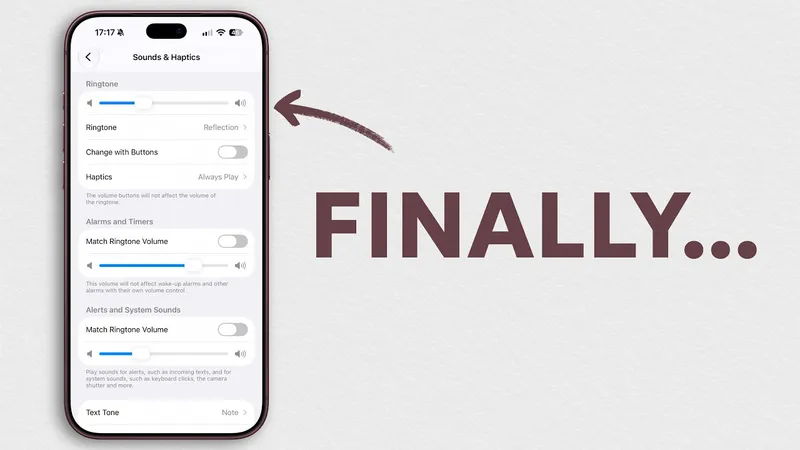
The video introduces ten iOS 27 features, including AI photo editing, message-sending progress, Safari alerts, volume controls, Shortcuts, Wallet passes, and Siri. The presenter explains where to find features and how to use them, while noting that some require supported iPhone models, languages, or regions.
- Views
- 441.3K
- Likes
- 7.4K
- Comments
- 275
- IOS 27 FeaturesIPhone Photo EditingIPhone Settings and AppsApple intelligence tools
Analysis
The video introduces ten iOS 27 features, including AI photo editing, message-sending progress, Safari alerts, volume controls, Shortcuts, Wallet passes, and Siri. The presenter explains where to find features and how to use them, while noting that some require supported iPhone models, languages, or regions.
- TutorialWalkthroughListicle

- Title
- 10 iOS 27 Features You'll Actually Use...
“iOS 27 can change the perspective of a photo you've already taken, watch a website for price drops, and finally let you turn your alarm up without making your ringtone louder, too. I've been using iOS 27 for a few months, and in this video, I'll show you the 10 features that I think you should check out first, where to find them, and how to use them. Now, if your iPhone runs iOS 26, it can run iOS 27, but that doesn't mean that you'll get every feature. Some require Apple Intelligence, which needs an iPhone 15 Pro or Pro Max, or one of the newer supported models listed on screen. I'll show this AI logo whenever that requirement applies. And even with a compatible iPhone, availability depends on your language and region, with some features arriving later than others. But first, let's start with what you can now do with your photos.”
- 01Concrete examples and roundup promise
The examples make the broad update feel practically relevant, while the number and promised instructions set expectations for the roundup.
The speaker opens with examples of changes the update can make, then says they will cover 10 features, where to find them, and how to use them.
“iOS 27 can change the perspective of a photo you've already taken, watch a website for price drops, and finally let you turn your alarm up without making your ringtone louder, too. I've been using iOS 27 for a few months, and in this video, I'll show you the 10 features that I think you should check out first, where to find them, and how to use them.”
- 02Availability and eligibility caveats
These qualifications help viewers assess which promised features may apply to them before the first feature is discussed.
The speaker explains that an older supported device can run the update without receiving every feature, identifies a hardware requirement for some features, and notes language, region, and rollout differences.
“Now, if your iPhone runs iOS 26, it can run iOS 27, but that doesn't mean that you'll get every feature. Some require Apple Intelligence, which needs an iPhone 15 Pro or Pro Max, or one of the newer supported models listed on screen. I'll show this AI logo whenever that requirement applies. And even with a compatible iPhone, availability depends on your language and region, with some features arriving later than others.”
- 03Transition into the first feature
This transition starts the promised feature-by-feature tour after setting expectations about availability.
The speaker moves from eligibility caveats to the first area of the roundup: what viewers can now do with their photos.
“But first, let's start with what you can now do with your photos.”