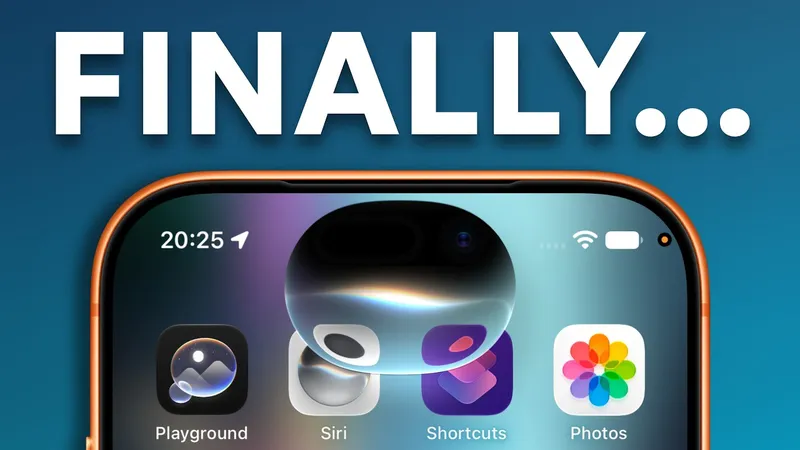
Siri AI in iOS 27 - Everything You Need To Know!
Siri AI in iOS 27 - Everything You Need To Know!
The video demonstrates major changes to Siri AI in iOS 27, including natural conversation, visual intelligence, on-screen awareness, personal context and actions across iPhone apps. The presenter uses practical examples and says the beta has limitations, with compatibility and availability covered later.
- Views
- 338.8K
- Likes
- 4.6K
- Comments
- 472
- Siri AI featuresIOS 27 CompatibilityIPhone App ActionsSiri beta limitations
Analysis
The video demonstrates major changes to Siri AI in iOS 27, including natural conversation, visual intelligence, on-screen awareness, personal context and actions across iPhone apps. The presenter uses practical examples and says the beta has limitations, with compatibility and availability covered later.
- DemonstrationWalkthrough
- Title
- Siri AI in iOS 27 - Everything You Need To Know!
“Do you remember back in June of 2024 at WWDC when Apple promised that they were going to release an allnew version of Siri that would finally do all of the things Siri was supposed to do? Yep, I remember that, too. And I also remember the months that then became years where they failed to deliver on that promise. But better late than never because Siri AI is finally here, running in beta form as part of iOS 27. And the obvious question is, what can you actually do with it? Well, that's what I'm going to show you in this video. I'm going to take you through five of the biggest areas where Siri has changed. Its ability to have proper conversations and answer general knowledge questions, visual intelligence, understanding what's on your screen, using your personal context, and actually taking actions across the apps on your iPhone. And rather than just listing features, I'm going to give you real world examples of all of them so that you can see what this actually looks like in practice. I'm also deliberately going to focus mostly on what Siri AI can do rather than spending the video showing you all of the things that it still gets wrong. It is a beta. It absolutely isn't perfect. But if you're using this for the first time, I think the much more useful question is what can I actually do with it? I'll cover the device requirements, availability, and a couple of important limitations towards the end of the video. So, if that's what you're specifically looking for, feel free to jump ahead. Otherwise, let's start with broad world knowledge and natural conversation.”
- 01Recall the promise and delay
Establishes the history that makes the present announcement feel consequential, and sets up whether the promise has now been fulfilled.
Asks whether the audience remembers an earlier promise, then contrasts the promised delivery with a long delay.
“Do you remember back in June of 2024 at WWDC when Apple promised that they were going to release an allnew version of Siri that would finally do all of the things Siri was supposed to do? Yep, I remember that, too. And I also remember the months that then became years where they failed to deliver on that promise.”
- 02State the qualified arrival and central question
Connects the past promise to the current, qualified state and makes the practical capabilities the main question.
Says the subject has finally arrived in beta as part of a named release, then asks what people can actually do with it.
“But better late than never because Siri AI is finally here, running in beta form as part of iOS 27. And the obvious question is, what can you actually do with it? Well, that's what I'm going to show you in this video.”
- 03Preview the guide and its approach
Sets a concrete scope and promises examples that make the guide’s claims easier to understand in practice.
Previews five areas of change and promises real-world examples, while distinguishing capability coverage from a tour of failures.
“I'm going to take you through five of the biggest areas where Siri has changed. Its ability to have proper conversations and answer general knowledge questions, visual intelligence, understanding what's on your screen, using your personal context, and actually taking actions across the apps on your iPhone. And rather than just listing features, I'm going to give you real world examples of all of them so that you can see what this actually looks like in practice. I'm also deliberately going to focus mostly on what Siri AI can do rather than spending the video showing you all of the things that it still gets wrong.”
- 04Qualify the beta and set expectations
Keeps the capability promise qualified, identifies a practical audience question, and maps the viewing route before the first detailed topic begins.
Acknowledges that the beta is imperfect, reframes the useful question for first-time users, and previews requirements, availability, and limitations before offering a skip-ahead option.
“It is a beta. It absolutely isn't perfect. But if you're using this for the first time, I think the much more useful question is what can I actually do with it? I'll cover the device requirements, availability, and a couple of important limitations towards the end of the video. So, if that's what you're specifically looking for, feel free to jump ahead. Otherwise, let's start with broad world knowledge and natural conversation.”