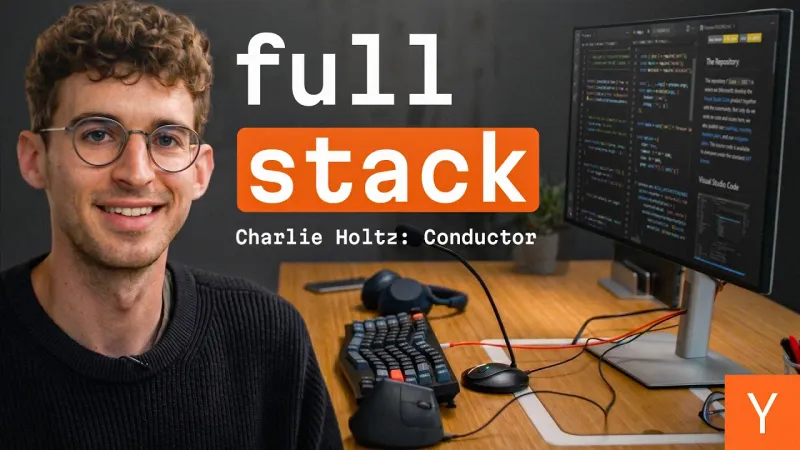
Conductor CEO Charlie Holtz Walks Us Through His AI Coding Setup
Y Combinator@ycombinatorConductor CEO Charlie Holtz Walks Us Through His AI Coding Setup
Conductor co-founder and CEO Charlie Holtz shows how he uses Conductor to manage AI coding agents, including starting tasks by voice, reviewing proposed changes, and testing ideas in separate workspaces. The episode description promises a broader look at his tools, workflow choices, and views on how AI is changing software development.

- Views
- 197.4K
- Likes
- 4.5K
- Comments
- 233
- AI coding workflowsCoding agent managementConductor appDeveloper tools
Analysis
Conductor co-founder and CEO Charlie Holtz shows how he uses Conductor to manage AI coding agents, including starting tasks by voice, reviewing proposed changes, and testing ideas in separate workspaces. The episode description promises a broader look at his tools, workflow choices, and views on how AI is changing software development.
- DemonstrationWalkthrough

- Title
- Conductor CEO Charlie Holtz Walks Us Through His AI Coding Setup
Hello, I am Charlie, the co-founder of Conductor, which is an app that lets you orchestrate a bunch of coding agents on your Mac. And we were YC Summer 24. Uh, and I'd love to show you my setup. So, a recent thing that I can't live without is this uh gooseneck microphone, $20 on Amazon. We are all trying to talk to our computers more. Um, one issue with having like an open floor plan office is that can be pretty distracting. So, one advantage of these is you can like lean over and whisper into Claude and be like, "Please merge PR 3475." And it's a a little bit less disruptive. I think we we all got these in an attempt to encourage more talking to computers. I spend most of my day in Conductor. We're using Conductor to build Conductor. One thing that I do is I'm constantly kicking off new tasks. So, I'm constantly um going command N. Uh, that was actually a sneak a sneak peek of something we are working on, which is Claude Workspaces. But I'll I'll do command N and then I'll speak into my computer and say, "Um, can you take a look at the latest linear issue and give me uh a rough pass at how you'd solve it?" Stuff like that. And then press enter and then I can see that it's running in the sidebar.
- 01Introduce the guide and product
Establish relevant experience and identify the product context, then make the promised walkthrough explicit.
The speaker names himself as a co-founder, describes what his app does, and adds a company credential before offering a setup walkthrough.
“Hello, I am Charlie, the co-founder of Conductor, which is an app that lets you orchestrate a bunch of coding agents on your Mac. And we were YC Summer 24. Uh, and I'd love to show you my setup.”
- 02Give a concrete tool example
Make the setup tangible with a specific item and introduce spoken interaction as part of his workflow.
He identifies a recently indispensable microphone and connects it to the wider practice of talking to computers.
“So, a recent thing that I can't live without is this uh gooseneck microphone, $20 on Amazon. We are all trying to talk to our computers more.”
- 03Connect the tool to a workplace constraint
Explain the practical context for the tool and offer a concrete example of how it supports his work.
He says an open-plan office can be distracting, then gives a whispered request to a coding agent as a less disruptive alternative.
Um, one issue with having like an open floor plan office is that can be pretty distracting. So, one advantage of these is you can like lean over and whisper into Claude and be like, "Please merge PR 3475." And it's a a little bit less disruptive.
- 04Broaden to the daily workflow
Shift from one tool to the broader setup and its everyday use. The transcript continues into a sustained live workflow demonstration at the end of the selected introduction.
He frames the equipment as part of a push toward more computer interaction, says he spends most of the day in Conductor building Conductor, and begins describing how he starts tasks and asks an agent to review an issue.
I think we we all got these in an attempt to encourage more talking to computers. I spend most of my day in Conductor. We're using Conductor to build Conductor. One thing that I do is I'm constantly kicking off new tasks. So, I'm constantly um going command N. Uh, that was actually a sneak a sneak peek of something we are working on, which is Claude Workspaces. But I'll I'll do command N and then I'll speak into my computer and say, "Um, can you take a look at the latest linear issue and give me uh a rough pass at how you'd solve it?" Stuff like that. And then press enter and then I can see that it's running in the sidebar.